

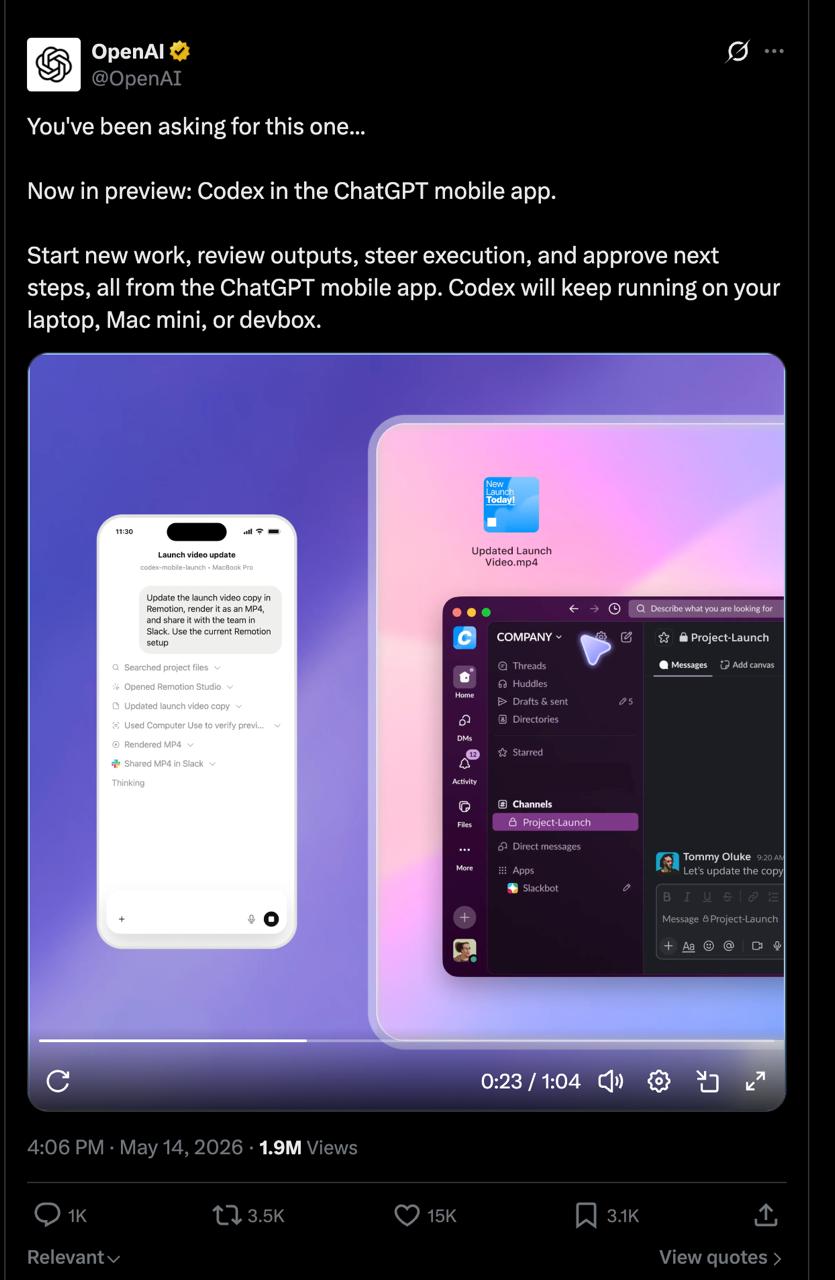
🔥 Until yesterday, controlling Codex remotely meant a separate SaaS tool with a separate subscription. On May 14 OpenAI rolled out a native integration right into ChatGPT Mobile - and killed a whole class of third-party solutions with one release
How mobile Codex control works:
The idea is simple: Codex keeps running on your main machine - a Mac, a devbox or a corporate server. ChatGPT on your phone becomes a native remote control for that agent. No extra infrastructure and no middleman services
Connecting is via QR code: Codex for Mac shows a QR in the settings, you scan it from the ChatGPT app - the connection goes through an encrypted relay layer without exposing your machine to the public internet. Files, credentials and local context stay on the host. Only updates and work results reach the phone - not source code, not secrets. This isn't a cloud agent you have to trust with your repo - it's a terminal to your own machine
What you control from your phone:
⚡️ Launching tasks - give Codex a new task without opening your laptop
⚡️ Live monitoring - screenshots, diffs and test results in real time while the agent works
⚡️ Steering - approve or reject next steps, change direction on the fly
⚡️ Full control - all threads, switching between models from one place
In practice this covers a specific case: you gave Codex a complex task, went to a meeting - your phone shows what's happening and pings you when the next step needs approval or something went wrong. The agent keeps working on proper hardware, you make decisions from anywhere. No trading power for mobility
Together with the mobile interface they added two enterprise updates: SSH connection to enterprise servers (Codex now runs on corporate infrastructure, not just on a local machine) and HIPAA compliance for Enterprise users. A signal that OpenAI is aiming not only at individual developers, but also at teams with strict data requirements
There's one limitation for now: the host is Mac only. Windows support is planned. The release is in preview, but the functionality already works
💻 Available on all plans: Free, Plus, Go, Enterprise - at no extra cost
⭐️ John Gage, Sun Microsystems:
"The network is the computer"
How my phone became a remote
Almost my whole system works this way. My personal agent Jes lives on a server as a service that runs around the clock and restarts itself after a crash, and I message it in Telegram from my phone, by text or voice. It has been running for 134 days and handles 10 scheduled jobs on its own. Every morning one message with my day plan, built from my calendar, tasks and reminders, arrives in the same Telegram, 127 mornings in a row
Editing moved to the phone too. I film a video, type one word in Telegram, and in about 2 minutes it's ready to publish with subtitles instead of half an hour of manual work. A client call I simply send as a recording to a chat, and a few minutes later I get a summary, tasks and an updated card in the CRM
One entry point instead of six chats
The clearest example is a client. A clinic owner ran his work through six AI bots, each with its own chat. Now he has a voice agent, Ami, on a private page: he presses Start and talks, and real tasks go to an agent with tools on the clinic's server. The phone and browser are just a window here, while all the power and the keys stay on the owner's server
If you want the same, start not with an app but with the question of where the agent will live. On your laptop, it falls asleep when you close the lid. On an inexpensive server, your phone becomes a full remote
✨ The powerful agent sits on a proper machine - the phone is just a terminal to control it. That's the right architecture: compute where the power is, interface where it's convenient. Update Codex for Mac, scan the QR from ChatGPT. One more SaaS out of the stack